

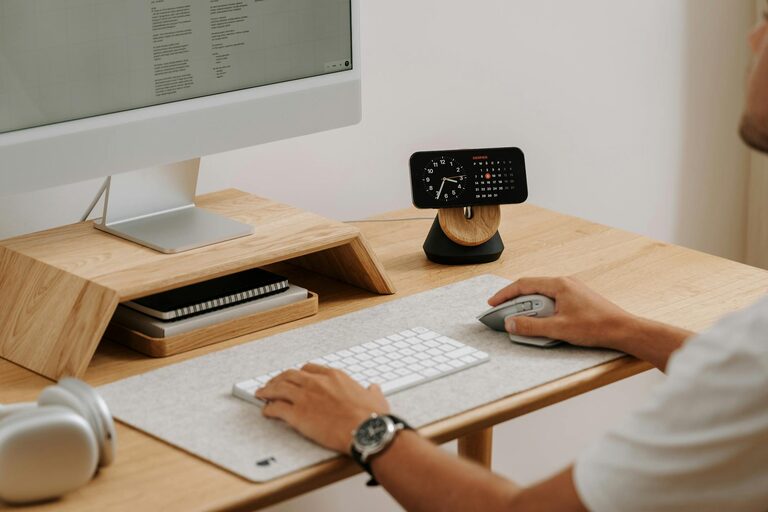
Creating an organized, clutter-free home office is essential for maintaining focus and maximizing productivity. A well-arranged workspace reduces distractions, improves time management, and fosters a more enjoyable work experience. Whether you work remotely full-time or occasionally need a dedicated spot for projects, these tips will help you transform your home office into an efficient, calming environment.
Why a Clutter-Free Home Office Matters
A cluttered desk or chaotic workspace can increase stress and reduce your ability to concentrate. By organizing your home office, you create a clear mind space, making it easier to complete tasks and achieve goals. Additionally, a neat environment saves time looking for supplies and important documents, letting you focus on what truly matters—your work.
Step 1: Choose the Right Location and Furniture
Selecting the Ideal Spot
– Pick a quiet corner or room with enough natural light.
– Avoid high-traffic areas to minimize interruptions.
– Consider ergonomics: a comfortable chair and desk height prevent fatigue.
Investing in Functional Furniture
– Use desks with storage options like drawers or shelves.
– Opt for adjustable chairs to improve posture.
– Utilize vertical space with shelving or wall organizers.
Step 2: Declutter Your Workspace Regularly
Sort and Purge
– Go through papers, supplies, and gadgets.
– Remove items you no longer need or use.
– Digitize documents to save space.
Maintain a Daily Routine
– Spend 5–10 minutes tidying your desk at the end of each day.
– Put away items immediately after use.
– Use designated boxes or trays for ongoing projects.
Step 3: Organize with Smart Storage Solutions
Use Clear, Labeled Containers
– Transparent boxes make it easier to spot contents.
– Labels help quickly identify what’s inside.
Employ Drawer Dividers and File Folders
– Keep small items like pens, clips, and cords separated.
– Sort paperwork by category for easy access.
Create a Dedicated Charging Station
– Keep all electronic chargers and cables in one place.
– Use cable organizers to avoid tangling.
Step 4: Optimize Your Desk Setup
Keep Essential Items Within Reach
– Place frequently used items like notebooks and pens close to you.
– Position your computer monitor at eye level.
Minimize Decorative Clutter
– Limit decorations to a few meaningful objects.
– Choose plants or art that promote calm and creativity.
Manage Cables Efficiently
– Use cable clips or sleeves to keep cords tidy.
– Avoid letting cables run across your workspace.
Step 5: Incorporate Digital Organization
Clean Up Your Computer Desktop
– Create folders for different projects.
– Delete or archive unused files regularly.
Use Productivity Apps
– Task managers help prioritize work.
– Digital calendars keep track of deadlines and meetings.
Backup Important Documents
– Use cloud storage or external drives.
– Schedule regular backups to prevent data loss.
Step 6: Personalize Your Space Mindfully
Encourage Inspiration Without Overcrowding
– Use motivational quotes or vision boards.
– Select calming colors and adequate lighting.
Take Breaks to Refresh Your Mind
– Keep a water bottle handy.
– Allocate time for short walks or stretches.
Conclusion
Organizing a clutter-free home office is a process that requires attention and consistent effort. By choosing the right location, decluttering regularly, using smart storage, optimizing your desk setup, embracing digital tools, and personalizing mindfully, you can create a productive workspace that supports focus and efficiency. Start implementing these tips today to enjoy a more organized and inspiring home office environment.