

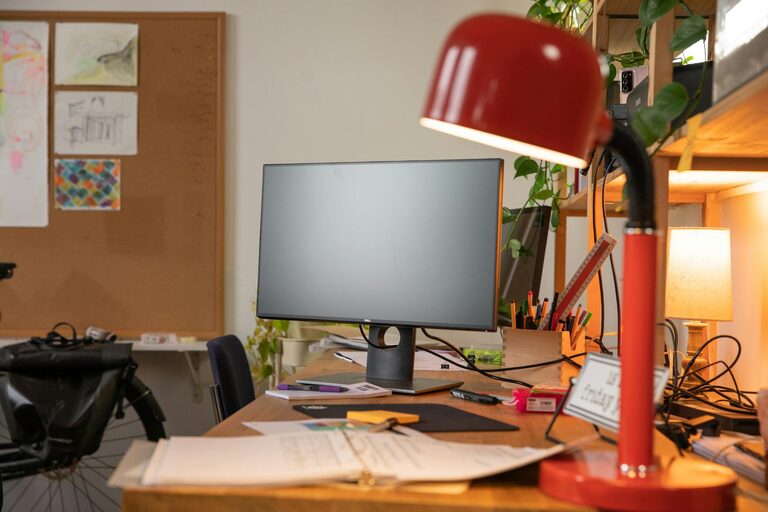
Creating a cozy and functional home office space is essential for anyone working remotely or needing a dedicated area for tasks. A well-designed office not only boosts productivity but also makes working from home more enjoyable. Here are some tips to help you set up a home office that combines comfort with practical features.
Choose the Right Location
Selecting the perfect spot for your home office is the first step. Ideally, pick a quiet place with minimal distractions. If possible, use a room with natural light as it helps reduce eye strain and improves mood.
Consider These Options:
– A spare bedroom
– A corner in the living room
– An unused nook or hallway
– A converted closet space
Remember to check for electrical outlets and internet connection strength.
Invest in Comfortable and Supportive Furniture
Comfort is key when you spend hours working at a desk. Choose furniture that supports good posture and reduces discomfort.
Must-Have Furniture:
- **Ergonomic Chair**: Look for adjustable features to support your back and neck.
- **Desk**: A surface large enough for your computer, notebooks, and other essentials.
- **Storage Solutions**: Shelves, drawers, or filing cabinets to keep your items organized and within reach.
Adjust the furniture setup so your screen is at eye level, and your arms rest comfortably on the desk.
Maximise Lighting
Good lighting enhances focus and reduces fatigue. Natural light is best, but combining it with artificial options ensures consistent brightness throughout the day.
Lighting Tips:
– Position your desk near a window if possible.
– Use a desk lamp with adjustable brightness for late hours.
– Choose warm white bulbs to create a cozy atmosphere.
– Avoid glare on screens by adjusting blinds or curtains.
Personalise Your Space
Adding personal touches makes your office inviting and inspiring.
Ideas to Consider:
– Display artwork or photos you enjoy
– Use a decorative rug or cushions
– Incorporate plants for freshness and improved air quality
– Choose calming colours for the walls or accessories
Personalisation should reflect your style while maintaining a professional environment.
Keep It Organised
Clutter can negatively impact your concentration. Organising your workspace helps maintain a clear mind.
Organisation Tips:
– Use desk organisers for stationery and small items
– Sort cables with clips or sleeves to avoid tangling
– Keep only daily essentials on your desk
– Schedule regular tidying sessions
Using labels and clear storage containers can also simplify finding what you need.
Use Technology to Your Advantage
Equip your office with tools that support your work efficiently.
Essential Tech:
– Reliable Wi-Fi
– Quality headset or speakers for calls
– External monitor for better screen space
– Keyboard and mouse that suit your comfort
Balance technology needs with cable management to keep your workspace neat.
Create a Healthy Work Environment
Your home office should promote well-being as much as productivity.
Healthy Habits:
– Incorporate short breaks from sitting, stretching or walking around.
– Keep a water bottle nearby to stay hydrated.
– Use an air purifier or open windows to ensure fresh air.
– Maintain a comfortable room temperature.
Including a small relaxation corner can also help you recharge during breaks.
Final Thoughts
Designing a cozy and functional home office space doesn’t need to be complicated. By carefully choosing your location, investing in comfortable furniture, maximising lighting, personalising the space, maintaining organisation, leveraging technology, and focusing on health, you create a work area that supports your productivity and well-being. Start with small changes and adjust according to your needs to build an office that truly feels like your own.
With these tips, your home office can become a favourite spot where work feels less like a chore and more like a part of your daily routine you look forward to.