

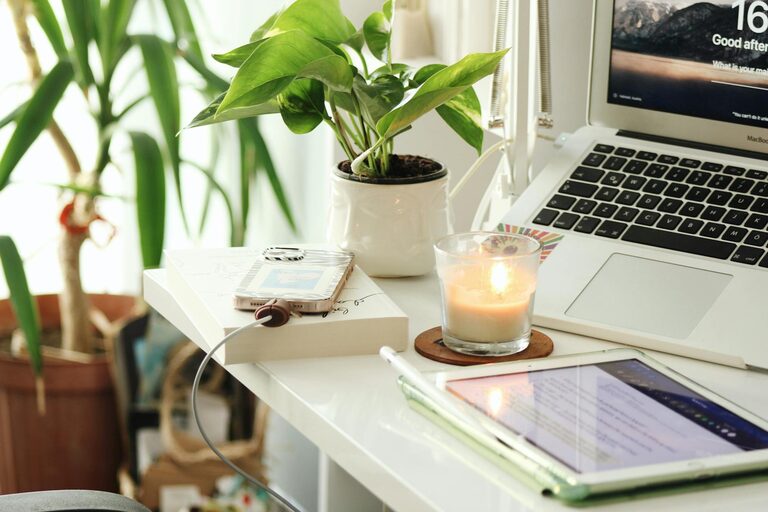
Creating a home office that feels cozy yet helps you stay productive can make a significant difference in how you work. Whether you have a dedicated room or just a small corner, designing a space that balances comfort and functionality is key. Here are some helpful tips to transform your home office into a place where you want to spend time—and get things done.
Choose the Right Location
Find a Quiet Spot
Selecting a quiet area in your home is essential for maintaining focus. Ideally, pick a space away from the busiest parts of your living area to minimize distractions.
Consider Natural Light
If possible, set up your desk near a window. Natural light helps improve mood and energy levels, making it easier to concentrate. Avoid placing your computer screen directly in front of a window to reduce glare.
Invest in Comfortable Furniture
Ergonomic Chair and Desk
Comfort plays a big role in productivity. Choose an ergonomic chair that supports your back and encourages good posture. Your desk should be at a height that allows your arms to rest comfortably while typing or writing.
Adequate Desk Space
Make sure you have enough room to organize your essentials like your laptop, notebooks, and office supplies without feeling cramped.
Organize Your Workspace
Declutter Regularly
A tidy workspace reduces stress and helps you find things quickly. Keep only what you need on your desk, and store everything else in drawers or shelves.
Use Storage Solutions
Use shelves, filing cabinets, or desk organizers to keep papers, pens, and cables in order. Labeling boxes or folders can also save time.
Add Personal Touches
Decorate Mindfully
Incorporate items that inspire you, such as plants, artwork, or pictures. These elements make your office feel inviting and boost creativity without overwhelming the space.
Choose Calming Colors
Soft, neutral colors or pastels can create a relaxing atmosphere. Avoid loud or overly bright colors that may distract you during work hours.
Optimize Lighting
Combine Ambient and Task Lighting
Use a combination of lighting sources. Ambient lighting provides overall illumination, while task lighting, like a desk lamp, helps focus on specific work.
Use Warm Light Bulbs
Warm light creates a cozy environment and is easier on the eyes during long work sessions.
Minimize Distractions
Set Boundaries
If you share your home with others, communicate your work hours and create signals to show when you should not be disturbed.
Turn Off Notifications
Limit disruptions by turning off non-essential notifications on your devices during work time.
Incorporate Ergonomic Accessories
Use a Keyboard and Mouse
An external keyboard and mouse can help reduce strain compared to using a laptop keyboard and trackpad.
Consider a Monitor Stand
Raising your monitor to eye level prevents neck strain and improves posture.
Manage Temperature and Air Quality
Keep the Room Comfortable
Maintain a temperature where you feel comfortable—not too hot or too cold—to stay focused. A fan or small heater can help regulate conditions.
Improve Air Circulation
Fresh air supports concentration and well-being. If possible, open windows or use an air purifier to keep the air clean.
Create a Routine
Start and End Your Day with Rituals
Having a routine signals the beginning and end of your workday. This might include a short walk before starting or tidying your desk at the end.
Take Regular Breaks
Scheduling short breaks helps reduce fatigue and improves productivity. Use these moments to stretch, hydrate, or simply rest your eyes.
—
By setting up your home office with these tips in mind, you can create a space that feels both comfortable and conducive to work. A well-designed environment supports focus, reduces stress, and can even make working from home more enjoyable. Take your time arranging your office—small changes can have a big impact!