

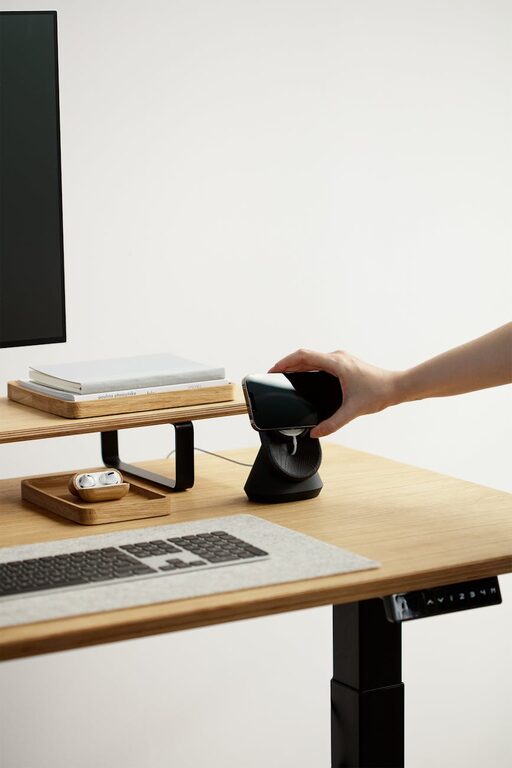
Creating a workspace at home that feels both inviting and functional is key to enhancing productivity and well-being, especially as many people spend more time working remotely. Whether you have a dedicated room or just a corner in your living space, thoughtful planning can transform it into an inspiring work area. This guide offers practical tips to design a home workspace that combines comfort, good organization, and aesthetics.
Choose the Right Location
Prioritize Natural Light
Position your workspace near a window if possible. Natural light improves mood, reduces eye strain, and helps regulate your sleep cycle. If natural light is limited, invest in quality lighting solutions that mimic daylight.
Minimise Distractions
Select a spot away from high-traffic areas like the kitchen or living room. Noise-cancelling headphones or white noise machines can also help you focus when complete silence isn’t possible.
Invest in Ergonomic Furniture
Comfortable Seating
A good office chair supports your posture, helping to avoid back and neck pain. Look for adjustable chairs that suit your height and desk level.
Functional Desk
Choose a desk with enough surface area for your computer, documents, and any other essentials. Adjustable height desks allow you to switch between sitting and standing, which benefits your health.
Keep It Organised
Use Storage Solutions
Incorporate shelves, filing cabinets, or storage boxes to keep paperwork, tools, and gadgets tidy. Decluttering your workspace helps maintain a clear mind and improves productivity.
Cable Management
Tidy cables with clips, sleeves, or boxes designed for wire organisation. This reduces visual clutter and keeps your area safer.
Personalise Your Space
Add Plants
Indoor plants not only brighten a room but also improve air quality and reduce stress. Choose low-maintenance options like succulents or pothos.
Use Inspiring Decor
Incorporate artwork or photos that motivate you. A splash of colour on one wall or colourful accessories can make the space more inviting and energising.
Pay Attention to Technology
Reliable Equipment
Ensure your computer, printer, and internet connection are reliable and meet your work needs. Investing in good technology reduces frustration and downtime.
Organise Your Tech Tools
Keep chargers, external drives, and other devices in dedicated spots to avoid losing time looking for them during the day.
Create a Routine and Boundaries
Define Work Hours
To separate work from personal life, set clear start and end times. This helps maintain focus during work hours and relax after.
Designate Workspace Use
Use the workspace only for work to train your brain to focus when you enter the area.
Improve Air Quality and Comfort
Ventilation
Fresh air helps maintain alertness and health during long working hours. Open windows regularly or consider an air purifier if needed.
Temperature Control
Ensure the room temperature is comfortable—not too cold or warm—which supports concentration.
Incorporate Break Areas
If space allows, designate a small area for breaks. Even a comfy chair or a spot with a cushion can encourage short breaks to stretch and refresh.
—
By combining these tips, you can design a home workspace that not only supports your productivity but also creates a pleasant, comfortable environment. Remember, a functional workspace reflects your personal needs and preferences, so feel free to adjust these ideas to what works best for you.